This article describes how to create an additional login user on your Plesk hosting control panel. This is useful where (for example) you have an external web developer that needs to access your hosting service, or where there are multiple users that need access.
STEP 1
Firstly, you should log on to your Plesk hosting control panel. This control panel is separate from your Irish Domains account, but can be accessed from within it.
If you are unsure how to access this, refer to this article: Accessing Plesk
STEP 2
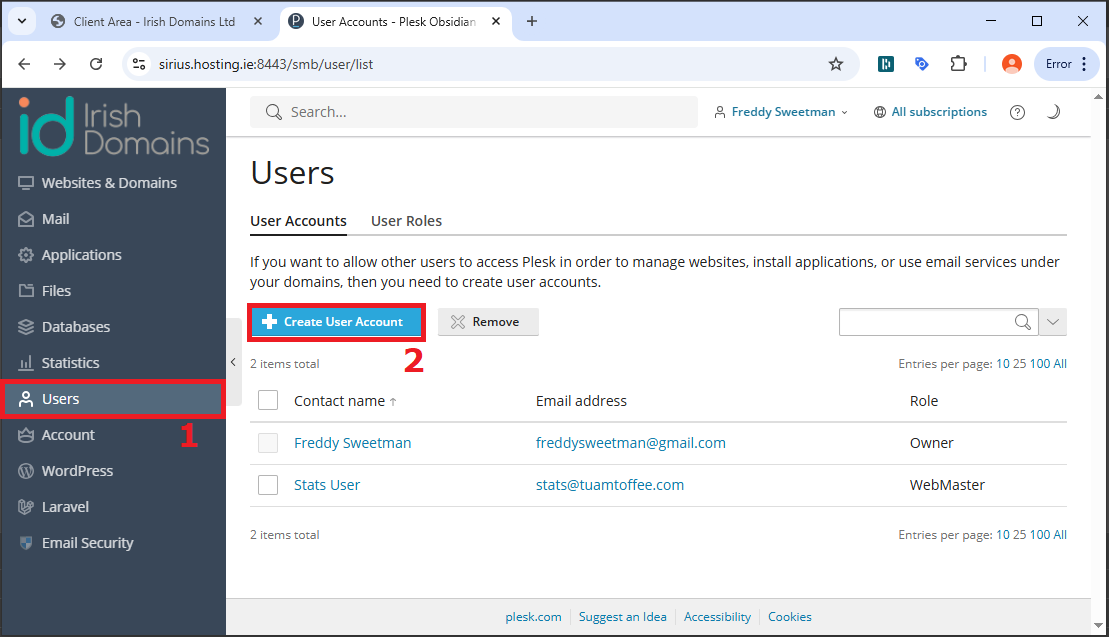
On Plesk, click the "Users" [1] menu item, and click "Create New User" [2]
STEP 3
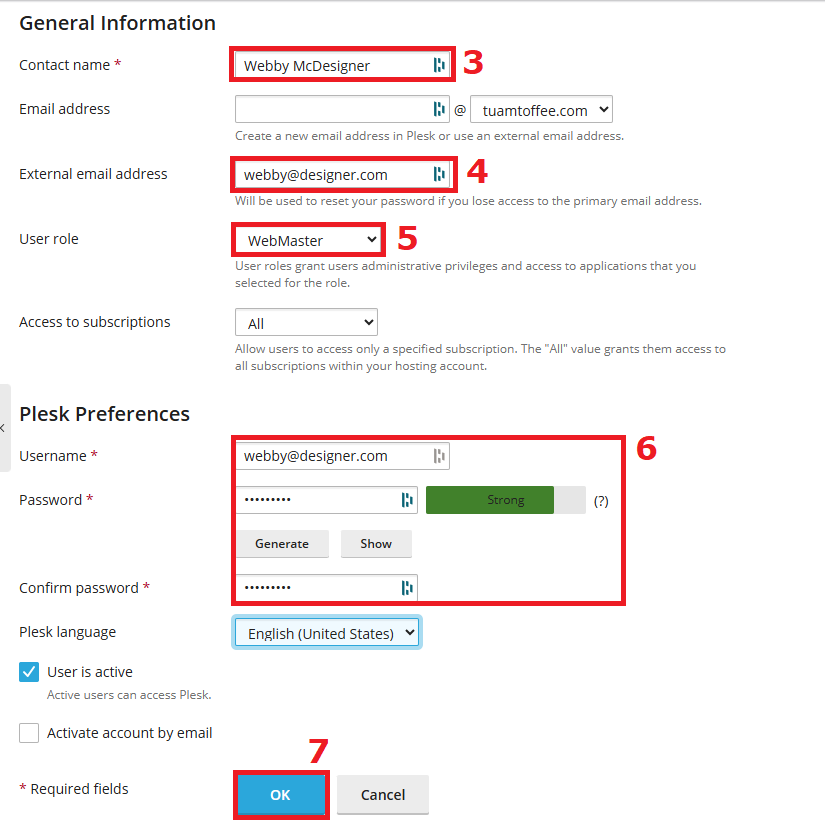
Enter the new user's (real) name [3] and their email address [4], and assign them an appropriate role [5].
You can use the predefined roles, or create new roles if needed. For example an external web developer would usually be assigned the "Webmaster" role.
Assign a username (usually the email address) and password [6]. Ensure to note down the password so that you can pass it to the new user.
Click "OK" [7] to create the new user.
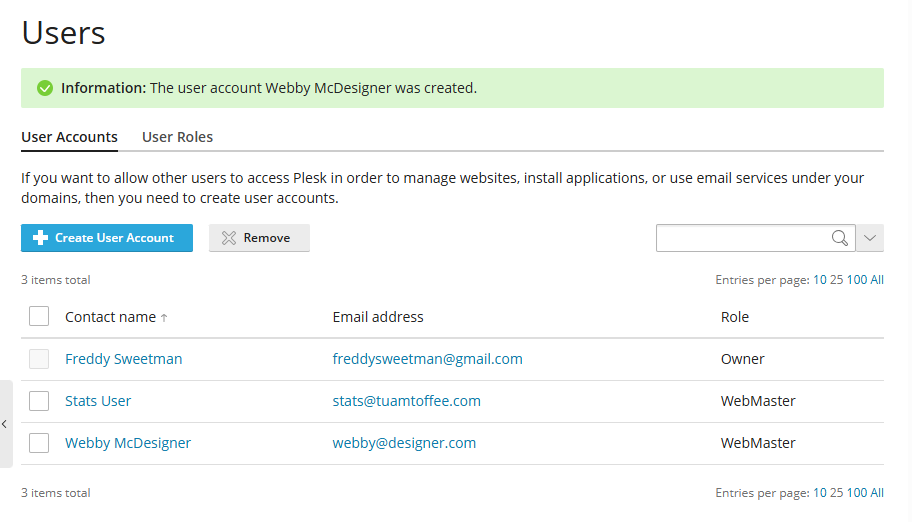
If user creation was successful, the new user should appear in the list
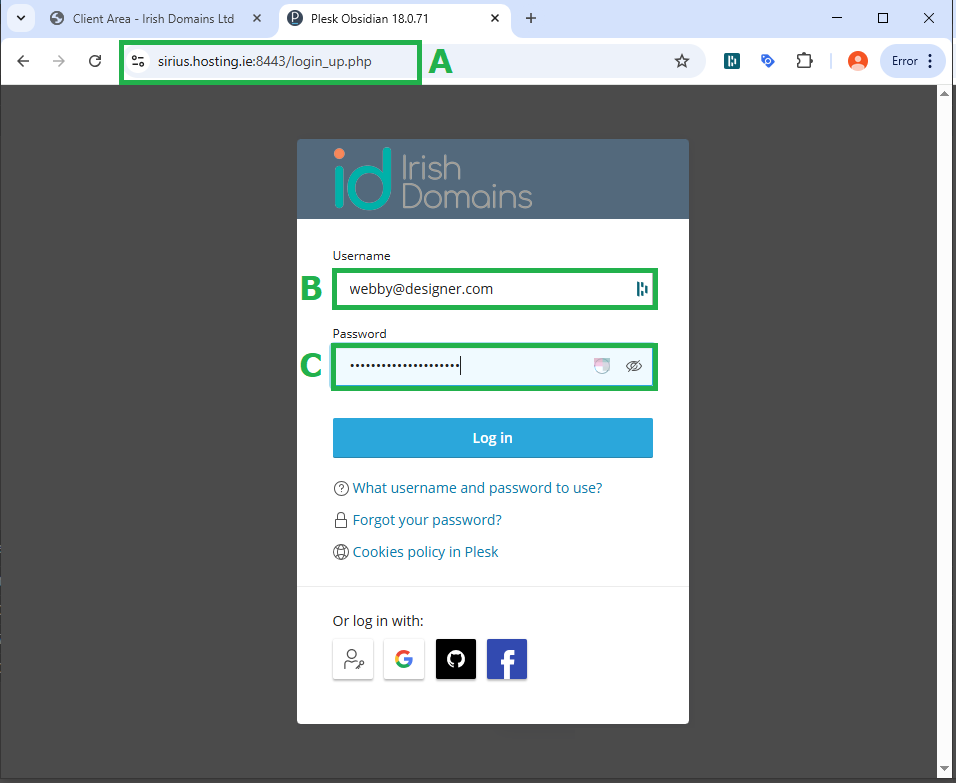
The login URL where the new user should log in depends on the hosting server to which your hosting service is allocated.
This will be visible in the browser bar when you log out of Plesk [A] - copy that link and provide it to the user.
The new user should be now be able to log in directly to Plesk using the username [B] and password [C] assigned.